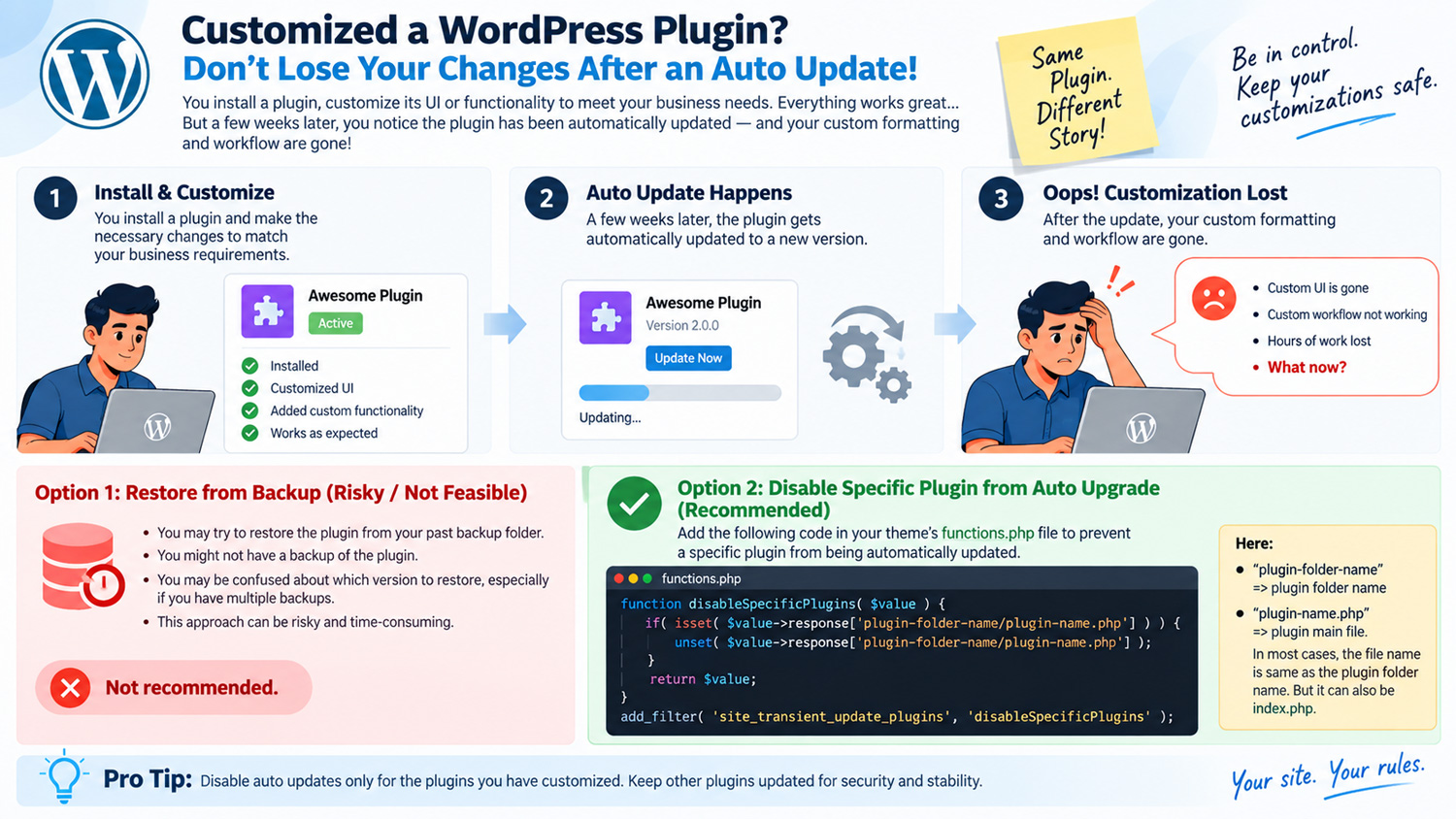
Sometime there is need to use some plugins in an application and you have the need to customize it UI or functionality to meet your business requirements.
You install the plugins and make the necessary changes to meet the configuration.
Few week later, you discover that your plugins has lost it custom formatting and the custom workflow due to recent upgrade of the plugins version.
Huhh, now what to do.
Option 1: You may look into your past backupfile to restore the plugins from your back up folder to restore the customized codes. This could be risky or not feasible. For example you may not be having the backup of the plugin , secondly you might get it but may be confused on which version you have to restore, because you had made many backup folder.
Option 2: The recommended way is to disable you customized plugins to get auto upgrade. What you need to do is put this below code in your theme functions.php file.
function disableSpecificPlugins( $value ) {
if( isset( $value->response[‘plugin-folder-name/plugin-name.php’] ) ) {
unset( $value->response[‘plugin-folder-name/plugin-name.php’] );
}
return $value;
}
add_filter( ‘site_transient_update_plugins’, ‘disableSpecificPlugins’ );
Here:
“plugin-folder-name” => plugin folder name
“plugin-name.php” => plugin main file. In most cases , the file name is same as plugin folder name. But it can also be index.hp