In Yii2 Gridview normally to display the action button we have the following chunk of code
$columns = [

['class' => 'yii\grid\SerialColumn'],

'name',

'description:ntext',

'status',

[

'class' => 'yii\grid\ActionColumn',

]

];
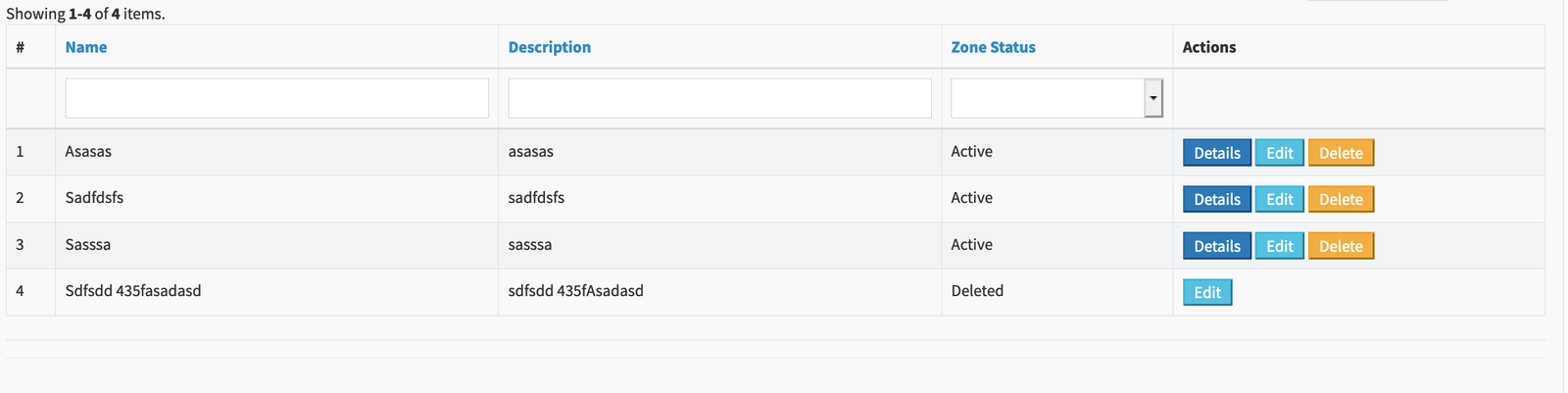
The output you see as below:

Now you have a scenario, to show the edit button only when the “Zone status” is active. So you have to add the additional line
$columns = [

['class' => 'yii\grid\SerialColumn'],

'name',

'description:ntext',

'status',

[

'class' => 'yii\grid\ActionColumn',

'contentOptions' => [],

'header'=>'Actions',

'template' => '{view} {update} {delete}',

'visibleButtons'=>[

'delete'=> function($model){

return $model->zone_status!='deleted';

},

'view'=> function($model){

return $model->zone_status!='active';

},

]

],

];
Now let me explain what changes were done to display the view button , when zone_status is active.
So the “visibleButtons” control the display of the action button based on the value returned by
function($model){

return $model->zone_status!='active';

}
If the condition hold true, view button will be displayed else not.
Next Level:
You can take this to next level. i.e. if you want to control the button style and the default url for each action, you can do it as below:
$columns = [

['class' => 'yii\grid\SerialColumn'],

'name',

'description:ntext',

'status',

[

'class' => 'yii\grid\ActionColumn',

'contentOptions' => [],

'header'=>'Actions',

'buttons' => [

'view' => function ($url,$model,$key) {

return Html::a('<button>Details</button>', Url::home()."zone/view?id=".$model->id);

},

'delete' => function ($url,$model,$key) {

if($model->zone_status != 'deleted') {

return Html::a('<button class="bk-custom-btn">Delete</button>',  Url::home()."delete?id=".$model->id);

}

},

'update' => function ($url,$model,$key) {

$url = ['zone/update?id='.$model->id];

return Html::a('<button class="bk-edit-btn">Edit</button>',$url);

},

],

'template' => '{view} {update} {delete}',

'visibleButtons'=>[

'delete'=> function($model){

return $model->zone_status!='deleted';

},

'view'=> function($model){

return $model->zone_status=='active';

},

]

],

];
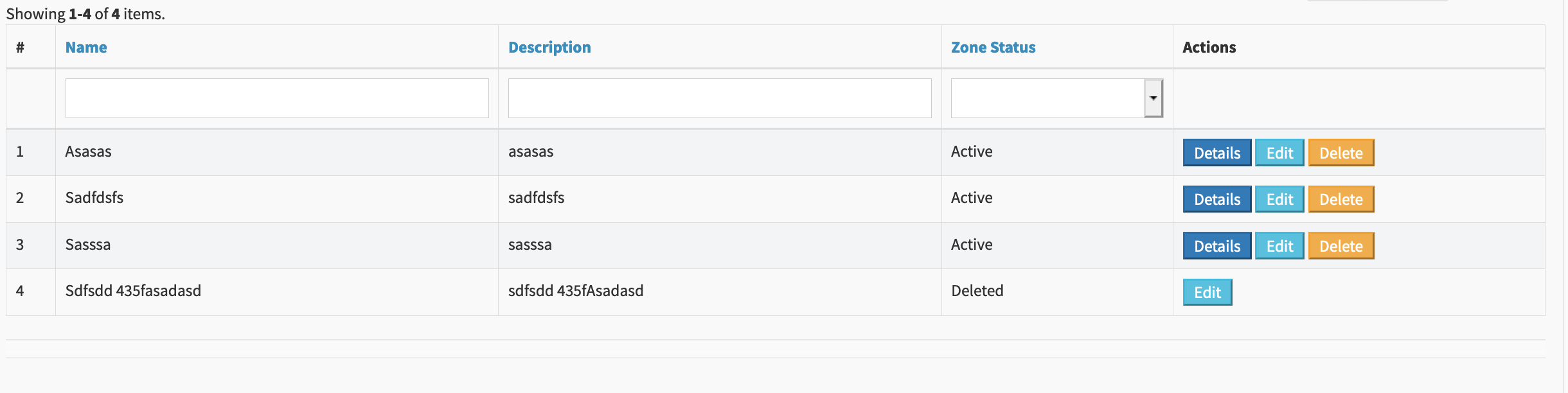
The final output as below: